
CHARACTER HOUSE WIKI
Search on Steam ↗

Character House Wiki/Multiplayer

MULTIPLAYER

Multiplayer & Visiting Friends

How multiplayer works in Character House: Desktop Companion.

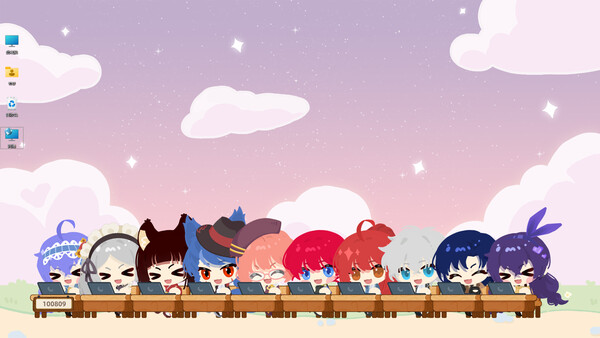
Character House supports a multiplayer visiting feature where you can see your friends' custom companions.

Visiting friends

The visiting feature lets you see the companions your friends have created. It is a social way to get inspiration for your own character designs.

Sharing your companion

Your character design can be seen by friends who visit your profile. Make sure your companion represents your best creativity!

Future multiplayer features

The developers have mentioned plans for expanded multiplayer features in the full version. Check Steam updates for the latest information.

PLAYER HELP

Frequently asked questions

Quick answers about Character House: Desktop Companion — features, platforms, multiplayer and more.
What is Character House: Desktop Companion?

Character House: Desktop Companion is a desktop pet and idle collection game developed by Yinengjie (异能界) / ElfArtWorld. You customize your own characters, place them on your desktop as companions, collect idle rewards, craft setting cards, and visit friends in multiplayer mode.

What platforms does Character House support?

Character House: Desktop Companion is available on PC — Windows and macOS. You can find it on Steam. The game is designed to run as a desktop overlay, so your characters live right on your screen alongside your daily work.

Is there a free demo?

Yes. A free Demo is available on Steam so you can try character creation, basic display modes and idle collection before purchasing the full game.

How does character creation work?

The game offers detailed facial customization — including face shape, eyes, mouth, hairstyle, outfits and accessories. You can create unique characters and place multiple companions on your desktop at the same time.

What are display modes?

Display modes control how your character sits on your screen. You can switch between standing mode, sitting mode, corner mode and other layouts to fit your desktop workflow and wallpaper.

What is idle collection?

Your desktop companions passively collect idle rewards over time — even when you are not actively playing. You can also craft setting cards to customize their environment and unlock new interactions.

Can I visit other players' desktops?

Yes. The multiplayer mode lets you visit your friends' desktops and see their character setups in person. It is a casual social feature — drop in, look around and say hello.

Is Character House free to play?

The full game is a paid release on Steam. A free Demo is available so you can try the core features before buying.

What are setting cards?

Setting cards are craftable items that change your companion's desktop environment — backgrounds, props, weather effects and more. Collect idle materials and craft them to personalize your desktop scene.

Does the game use a lot of system resources?

Character House is designed to be lightweight. It runs as a small overlay on your desktop and uses minimal CPU and memory, so it will not interfere with your work or other applications.

Who is developing Character House?

Character House: Desktop Companion is developed by Yinengjie (异能界), also known as ElfArtWorld (妖异界). Check the official ElfArtWorld page and Steam store for the latest news and updates.

Where can I find official updates?

Visit the Steam store page for Character House: Desktop Companion, the official ElfArtWorld website, and the developer's Weibo account for patches, announcements and community news. This wiki is an independent fan-made guide and is not affiliated with Yinengjie or ElfArtWorld.